

Introduction
A strong product image can influence whether someone stops scrolling, explores a product, or makes a purchase. For online stores, product photography is not simply decoration. It helps customers understand what they are buying and builds confidence in the brand.
AI image tools have made it easier to create studio-style product visuals, lifestyle scenes, and advertising concepts without arranging a traditional photoshoot for every campaign. However, getting a professional result is not as simple as typing “make this product look premium.” Generic instructions often produce generic images. Worse, an image may change the product’s packaging, label, proportions, or other details that customers need to see accurately.
The solution is a clear AI product photography prompt built around the product, its visual identity, the intended use, and the desired photography style. This guide explains how to structure prompts, adapt them to different products, and avoid the artificial look often associated with low-quality AI images. It also includes a reusable professional master prompt for creating an art-directed advertising poster from a product reference image.
What Is an AI Product Photography Prompt?
An AI product photography prompt tells an image-generation tool what product to show and how the image should look. It can define the setting, background, lighting, camera perspective, composition, and mood.
For example:
Create a premium product photo of a skincare bottle on a clean beige background.
This is a useful starting point, but it leaves important decisions open. It does not specify which product details must remain unchanged, where the light should come from, or how the image should fit the brand.
A stronger prompt acts like a visual brief. It identifies important product features, defines the scene, and explains what may change when a reference image is supplied.
AI product photography can support several types of creative work:
- Studio-style images: Clean, controlled visuals for website product pages and catalogues.
- Lifestyle scenes: Products shown in a setting that helps customers imagine using them.
- Advertising creatives: Campaign images with art direction, headline space, and a strong visual concept.
- Social media content: Product-led visuals adapted for posts, stories, and social media marketing campaigns.
The best prompt depends on the job. A marketplace listing image and a dramatic campaign poster should not automatically use the same composition.
Why Most AI Product Photography Looks Fake
Low-quality AI product images often fail because the prompt describes a mood but not the details that make a photograph believable. Words such as “luxury,” “cinematic,” and “professional” can help communicate direction, but they are not a substitute for specific visual instructions.
1. The product changes during generation
An image tool may alter a label, logo, cap, control, package shape, material, or small design feature. These changes can make the result look attractive while making it inaccurate. This is especially important when customers expect to receive the exact item shown.
2. The lighting does not make physical sense
A product can look pasted into a scene when its highlights, reflections, and shadows do not match the environment. A bottle may have a bright reflection on one side while its cast shadow suggests light is coming from the opposite direction. Contact shadows are also important: without them, an object can appear to float.
3. The composition relies on familiar AI clichés
Glowing rings, random particles, neon effects, floating rocks, unnecessary smoke, and generic futuristic interfaces are frequently used as shortcuts for a “premium” look. They do not necessarily suit the product or brand.
4. Every product receives the same treatment
A perfume bottle, handmade ceramic mug, running shoe, and packet of coffee do not need identical lighting or backgrounds. A repeated pedestal, centered layout, and black-and-gold palette can make different products feel like variations of one template.
Professional-looking work begins with product-specific decisions, not decorative effects.
The Professional Product Photography Prompt Formula
A useful product photoshoot prompt formula has five core parts: subject, setting, background, lighting, and camera specifications. Together, they form a clear brief. You can add composition, brand direction, and preservation instructions when the project needs more control.
1. Subject: Define the product
Start with the exact product category and the visible features that make it recognizable. Describe its shape, color, material, texture, packaging, and important details.
For example:
A single matte-white skincare bottle with a cylindrical body, a white pump dispenser, and a minimal black label. Preserve the bottle’s proportions, label layout, and pump design from the reference image.
Avoid inventing specifications that are not visible or provided. If the label is important, explicitly ask the tool to preserve it rather than asking it to redesign the packaging.
2. Setting: Choose the photography environment
The setting explains where the product appears: a studio, bathroom shelf, kitchen counter, outdoor environment, or editorial set.
Example:
Place the bottle in a contemporary bathroom with a pale stone surface and subtle natural details.
Choose an environment that makes sense for the product. A complicated scene is not required for a professional result.
3. Background: Establish visual context
The background should support, not compete with, the product. Describe its color, texture, depth, and detail.
Example:
Use a warm off-white background with a soft tonal transition and generous negative space.
A plain white background may suit a listing image, while a textured or environmental background may work better for a campaign.
4. Lighting: Create believable commercial photography
Lighting affects how a product’s material and quality appear. Specify soft diffused light, directional daylight, high-key studio lighting, or a low-key setup.
Example:
Use diffused light from the upper left, gentle front fill, and a natural contact shadow. Keep reflections consistent with the light direction.
Glass, metal, fabric, food, and matte packaging respond differently to light.
5. Camera specifications: Control the photographic feel
Camera instructions describe viewpoint, framing, depth of field, and lens character. They help establish a photographic style, although tools may interpret technical terms differently.
Example:
Use an eye-level three-quarter angle, a 70mm product-photography lens look, sharp label focus, and a softly separated background.
Use camera details only when they support the image you want.
Add product preservation and composition instructions
For reference-based work, add a separate instruction that distinguishes what must remain fixed from what may change:
Use the uploaded product image as the visual reference. Preserve the product’s recognizable shape, proportions, logo, label architecture, colors, controls, and materials. Changes are permitted to the environment, lighting, camera framing, and supporting art direction, but do not redesign the product.
This distinction is essential for commercial work. The background can be creative; the product itself must remain recognizable and accurate.
Professional AI Product Photography Master Prompt
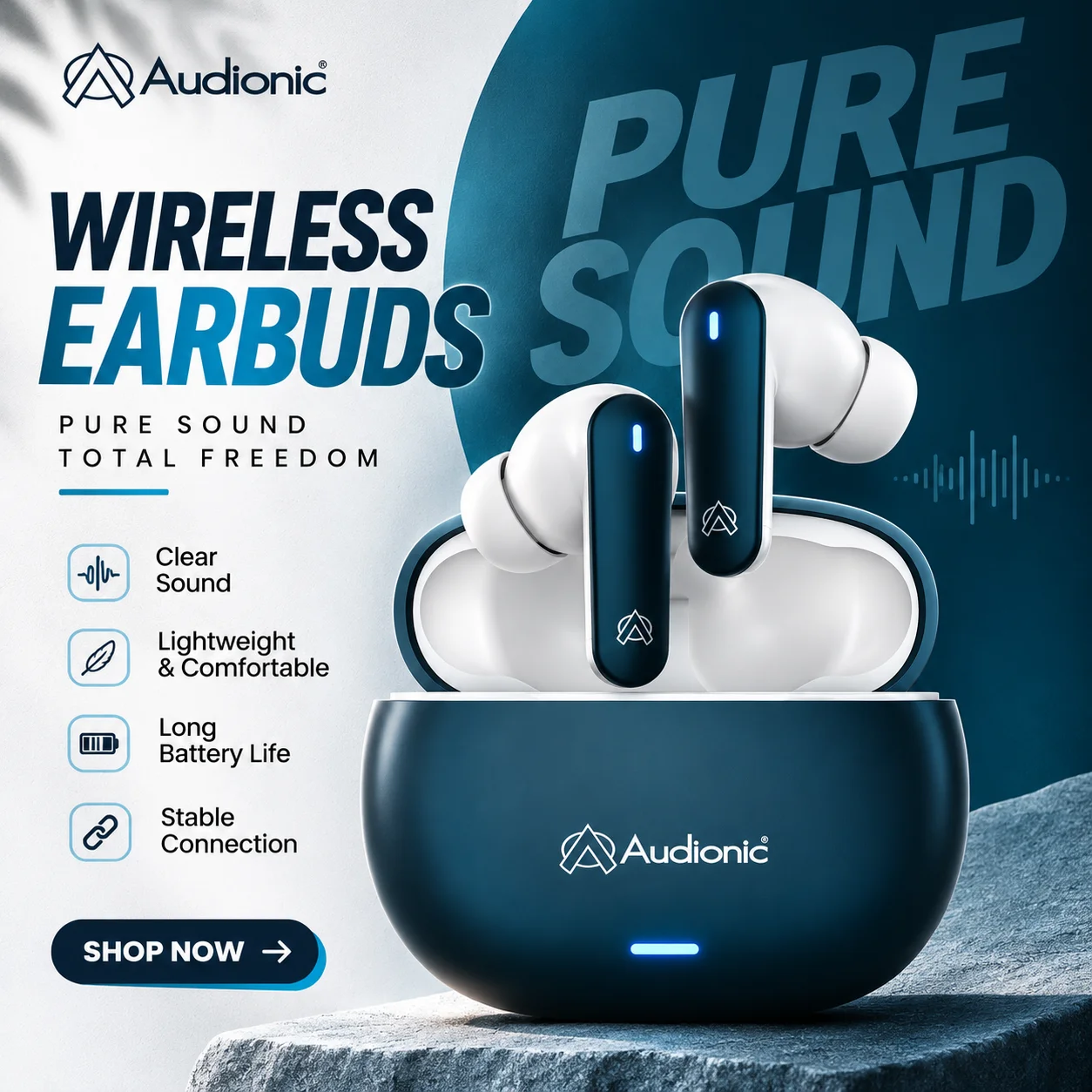
A reusable master prompt can help turn a product reference image into a more considered advertising concept. The prompt below is designed for one finished advertising poster, rather than a generic catalogue photograph. It asks the image tool to analyze the product, choose an appropriate art direction, build a product-first composition, and avoid common AI poster clichés.
It is best suited to campaign creatives for Instagram, Pinterest, magazine-style advertising, brand launches, and social media. For marketplace listing images, use a simpler prompt that prioritizes accurate product presentation and follows the relevant platform’s image rules.
How to use the master prompt
- Upload one clear product reference image.
- Paste the complete master prompt below into an image-generation tool.
- Let the tool analyze the product and select an appropriate visual direction.
- Review the generated poster for product accuracy, text quality, and realistic lighting.
- If anything important has changed, request a correction or use a suitable editing workflow before publishing.
The master prompt is included below as supplied.
Professional Product Photography Master Prompt
You are an expert advertising art director, graphic designer, typographer, product photographer, and campaign designer. I will provide ONE PRODUCT REFERENCE IMAGE. Your job is to create a professionally art-directed advertising poster specifically for that product.
Do not simply place the product into a generic AI-generated advertising template. The final poster should feel intentionally designed for the specific product category, brand personality, material, shape, colors, audience, and campaign.
<div class="prompt-section-heading">01 — FIRST: ANALYZE THE PRODUCT</div>
<p>Before designing, silently study the supplied product image. Identify the product category, shape and silhouette, dominant and secondary colors, materials and textures, packaging style, and the brand personality suggested by the object.</p>
<p>Determine whether the product feels premium, youthful, sporty, minimalist, playful, luxurious, technical, organic, retro, bold, fashion-oriented, lifestyle-oriented, mass-market, or experimental.</p>
<p>Also determine which visual feature of the product should become the HERO — such as its shape, typography, packaging, texture, ingredients, color, material, detail, or silhouette.</p>
<p>Preserve the recognizable product design. Do not arbitrarily redesign its packaging, proportions, logo, controls, materials, label architecture, or other distinguishing features.</p>

<div class="prompt-section-heading">02 — CREATE A UNIQUE ART DIRECTION</div>
<p>Do not use one universal poster style. Choose an art direction that genuinely fits the product.</p>
<p>Possible directions include Editorial Minimalism, with a large product, elegant negative space, restrained typography, and a sophisticated grid; Bold Typographic Advertising, where oversized typography interacts with, passes behind, frames, crops, or visually supports the product; and Contemporary Swiss / Grid Design, using strong alignment, disciplined spacing, geometric structure, and clean sans-serif typography.</p>
<p>Other suitable directions include Youth / Street Graphic Design, featuring bold crops, unusual type scales, layered graphics, and energetic color blocking; Premium Editorial, with luxury spacing, tactile surfaces, controlled shadows, and a restrained palette; and Retro Print Advertising, using vintage typography, halftones, grain, imperfect printing, graphic blocks, and nostalgic color combinations.</p>
<p>For relevant products, consider Modern Food & Beverage Advertising, Fashion Campaign, Organic / Natural, Product-Tech Editorial, Pop / Contemporary Commercial, or Experimental Art Direction.</p>
<p>Choose the direction according to the product. Do not force the supplied product into an unrelated visual style.</p>

<div class="prompt-section-heading">03 — VARIATION IS MANDATORY</div>
<p>Every new product must receive its own visual system. Do not reuse the same composition, pedestal, headline position, background treatment, feature-card system, typography layout, lighting setup, CTA style, product angle, color treatment, decorative graphics, or text hierarchy used for another product.</p>
<p>If previous poster designs exist in this conversation, deliberately make the new poster compositionally different. Change at least five elements between posters, including product scale, placement, camera angle, typography orientation, headline scale, color blocking, background texture, lighting style, grid structure, negative-space distribution, graphic motifs, cropping, CTA treatment, supporting-text placement, or the relationship between text and product.</p>
<p>The variation target is different campaigns designed by the same excellent creative studio — not the same template.</p>

<div class="prompt-section-heading">04 — TYPOGRAPHY SHOULD DRIVE THE DESIGN</div>
<p>Use typography as a major visual element. Think like a poster designer, not a webpage designer.</p>
<p>Typography may sit behind the product, partially disappear behind it, run vertically, crop off the canvas, stretch across the composition, form a structural background element, or create contrast through extremely large and small type.</p>
<p>Use a maximum of approximately two typeface personalities. Build a strong hierarchy between the hero headline, secondary copy, supporting information, and CTA/product details.</p>
<p>Do not overcrowd the poster with paragraphs. Prioritize visual communication.</p>

<div class="prompt-section-heading">05 — PRODUCT-FIRST COMPOSITION</div>
<p>The product must remain the visual hero. Its scale should feel intentional and campaign-worthy.</p>
<p>The product may be centered, oversized and cropped, positioned in the lower-right or upper-left, floating asymmetrically, integrated into typography, breaking outside a grid, or overlapping graphic shapes.</p>
<p>Do not automatically center every product. Use visual balance rather than template symmetry.</p>

<div class="prompt-section-heading">06 — COLOR SYSTEM</div>
<p>Build the poster palette from the actual product. Extract the dominant color, complementary color, neutral color, and optional accent color.</p>
<p>Prefer a disciplined palette of approximately 2–4 major colors.</p>
<p>For example, a green beverage could use sage, matcha, cream, and dark forest; red food packaging could use red, warm beige, white, and dark brown; silver technology could use cool blue, soft white, graphite, and pale grey; and a luxury perfume could use ivory, charcoal, muted metallic, and one accent.</p>
<p>Do not automatically default to black and gold. Do not automatically use neon. Do not make every product look futuristic.</p>

<div class="prompt-section-heading">07 — LIGHTING & PRODUCT PHOTOGRAPHY</div>
<p>Lighting must suit the product. Consider soft commercial studio lighting, hard editorial shadows, daylight, diffused window light, high-key photography, low-key premium photography, beauty-product lighting, food photography, glossy beverage lighting, dramatic directional light, or flat graphic lighting.</p>
<p>Use shadows and highlights intentionally. Maintain believable contact shadows, reflections, materials, textures, perspective, and scale. The product should never look randomly pasted onto the background.</p>

<div class="prompt-section-heading">08 — SUPPORTING GRAPHICS</div>
<p>Graphic elements should relate directly to the product or chosen art direction.</p>
<p>Possible elements include typography, geometric blocks, lines, grids, circles, framing, paper texture, print grain, ingredient illustrations, subtle patterns, custom icons, photography crops, directional arrows, and abstract shapes.</p>
<p>Use these elements selectively. Every decorative element should improve the composition.</p>

<div class="prompt-section-heading">09 — COPY</div>
<p>If the product name or relevant text is visible, use it intelligently. If no marketing copy is supplied, create concise advertising copy appropriate to the product.</p>
<p>The poster should contain one strong campaign headline, one short supporting line, optional small product information, and one understated CTA where appropriate.</p>
<p>Do not invent excessive product specifications. Do not make unsupported health, performance, technical, or nutritional claims. The headline should sound like real advertising — not AI jargon.</p>

<div class="prompt-section-heading">10 — VERY IMPORTANT: AVOID THE “AI POSTER LOOK”</div>
<p>Unless specifically appropriate to the product, do not automatically use glowing circular halos, neon cyberpunk lighting, black-and-gold luxury backgrounds, glowing pedestals, random floating particles, sci-fi interfaces, holographic UI, fake futuristic HUD elements, three generic feature icons in a row, rounded website-style feature cards, excessive pills or badges, generic CTA buttons, lightning effects, unnecessary smoke, random rocks, outer-space backgrounds, or liquid splashes on products that do not require them.</p>
<p>Do not use “AI POWERED” text unless the product itself involves AI.</p>
<p>Avoid generic phrases such as “Experience the Future,” “Beyond Imagination,” “Powered by Innovation,” or “Next Generation” unless they are genuinely appropriate.</p>
<p>The poster must look like GRAPHIC DESIGN FIRST and AI-GENERATED IMAGERY SECOND.</p>

<div class="prompt-section-heading">11 — HUMAN-DESIGNED IMPERFECTION</div>
<p>Introduce intentional design character through asymmetry, purposeful cropping, unusual scale relationships, imperfect print textures where appropriate, off-grid secondary details, sophisticated negative space, restrained decoration, meaningful overlap, and editorial typographic rhythm.</p>
<p>Avoid filling every empty area. Negative space is part of the design.</p>

<div class="prompt-section-heading">12 — REFERENCE DESIGN PRINCIPLES</div>
<p>Use oversized typography, clear hierarchy, bold product photography, a limited palette, strategic negative space, text partially hidden behind products, vertical typography, split-screen compositions, asymmetrical grids, dramatic cropping, strong color blocking, and visual interaction between the product and typography.</p>
<p>These are design principles, not a template. Do not recreate another poster exactly. Create a new composition specifically for the supplied product.</p>

<div class="prompt-section-heading">13 — FINAL QUALITY TARGET</div>
<p>The finished image should look suitable for an Instagram campaign, Pinterest advertising, magazine advertisement, outdoor poster, brand launch, social-media creative, or portfolio-quality graphic design.</p>
<p>Aim for professional art direction, excellent typography, strong hierarchy, commercial product photography, clean composition, distinctive visual identity, category-appropriate styling, and high-end graphic design.</p>
<p>The viewer should think:</p>
<p>“ This campaign was designed specifically for this product.”</p>
<p>Not:</p>
<p>“This is the same AI poster template with another product inserted.”</p>

<div class="prompt-section-heading">FINAL INSTRUCTION</div>
<p>Create ONE finished advertisement poster. Do not show moodboards. Do not show multiple poster options on the same canvas. Do not explain the design. Generate the final poster.</p>
The master prompt is designed for an advertising poster, not every product-photo task. Use shorter prompts for simple listing images. Adapt the examples below to the actual product and provide a reference image when accuracy matters.
Cosmetic and skincare products
Create a clean commercial product photograph of the uploaded skincare bottle on a warm ivory stone surface. Preserve the exact bottle shape, cap, label, logo, and colors. Use soft diffused daylight from the left, a subtle contact shadow, realistic material reflections, and a quiet beige background. Frame the product vertically with clear space around it. Keep the label sharp and readable.
This restrained direction suits products that need a fresh, calm appearance. Do not invent ingredients or claims.
Perfume and luxury products
Create a premium editorial photograph of the uploaded perfume bottle on a dark textured surface. Preserve its original silhouette, glass color, cap, label, and proportions. Use controlled directional studio lighting to reveal the glass edges, realistic reflections, and a natural cast shadow. Keep the composition minimal, with a restrained palette and no unrelated decorative objects.
Let the bottle’s materials and brand identity guide the palette; luxury does not always mean black and gold.
Food and beverage products
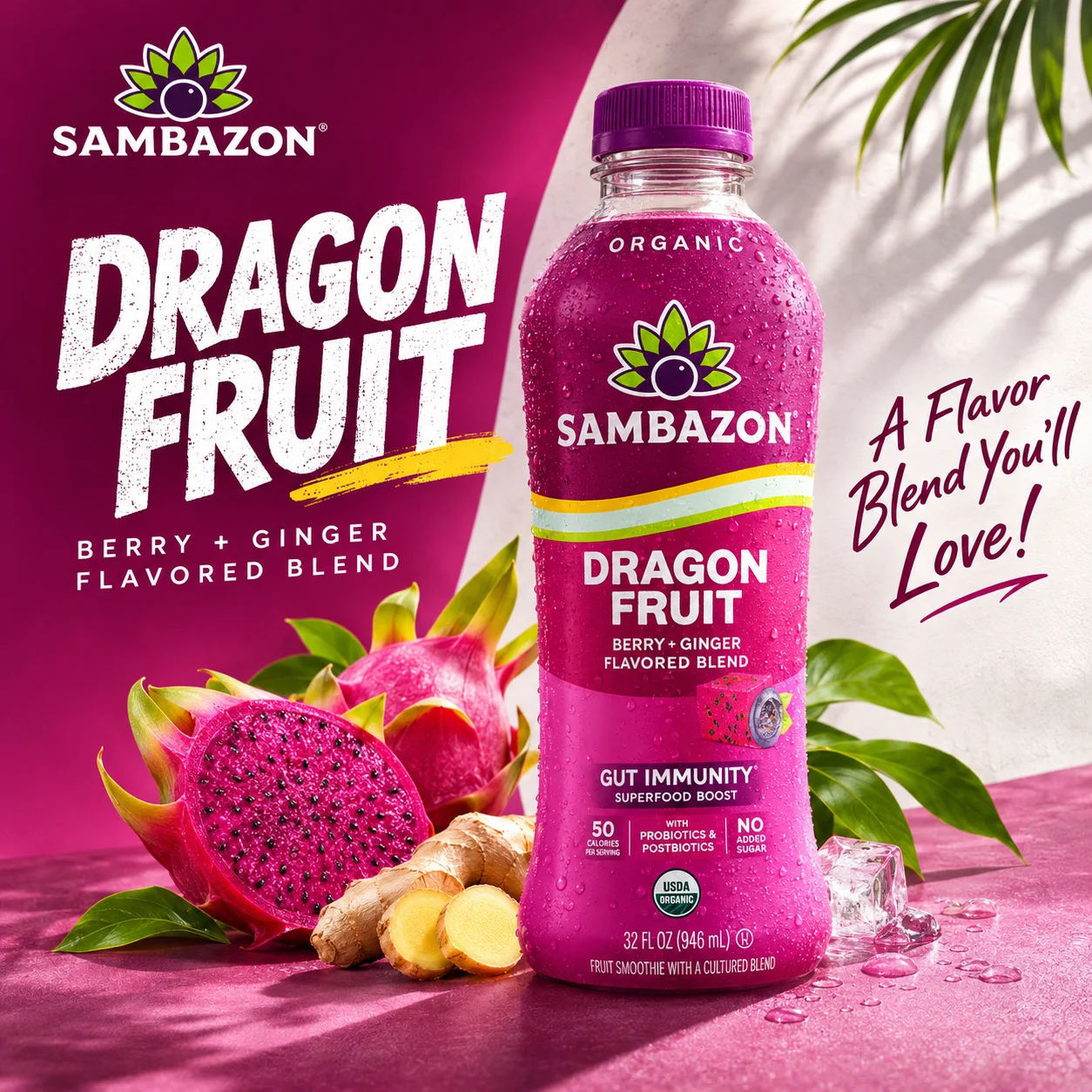
Create a commercial food advertising photograph featuring the uploaded beverage packaging as the hero. Preserve the exact package design, branding, label, and colors. Use fresh, directional studio lighting, realistic condensation only if appropriate, and a background inspired by the product’s actual flavor or ingredients. Keep all supporting elements believable and secondary to the product.
Only include ingredients and benefits supported by the real product.
Electronics and technology products
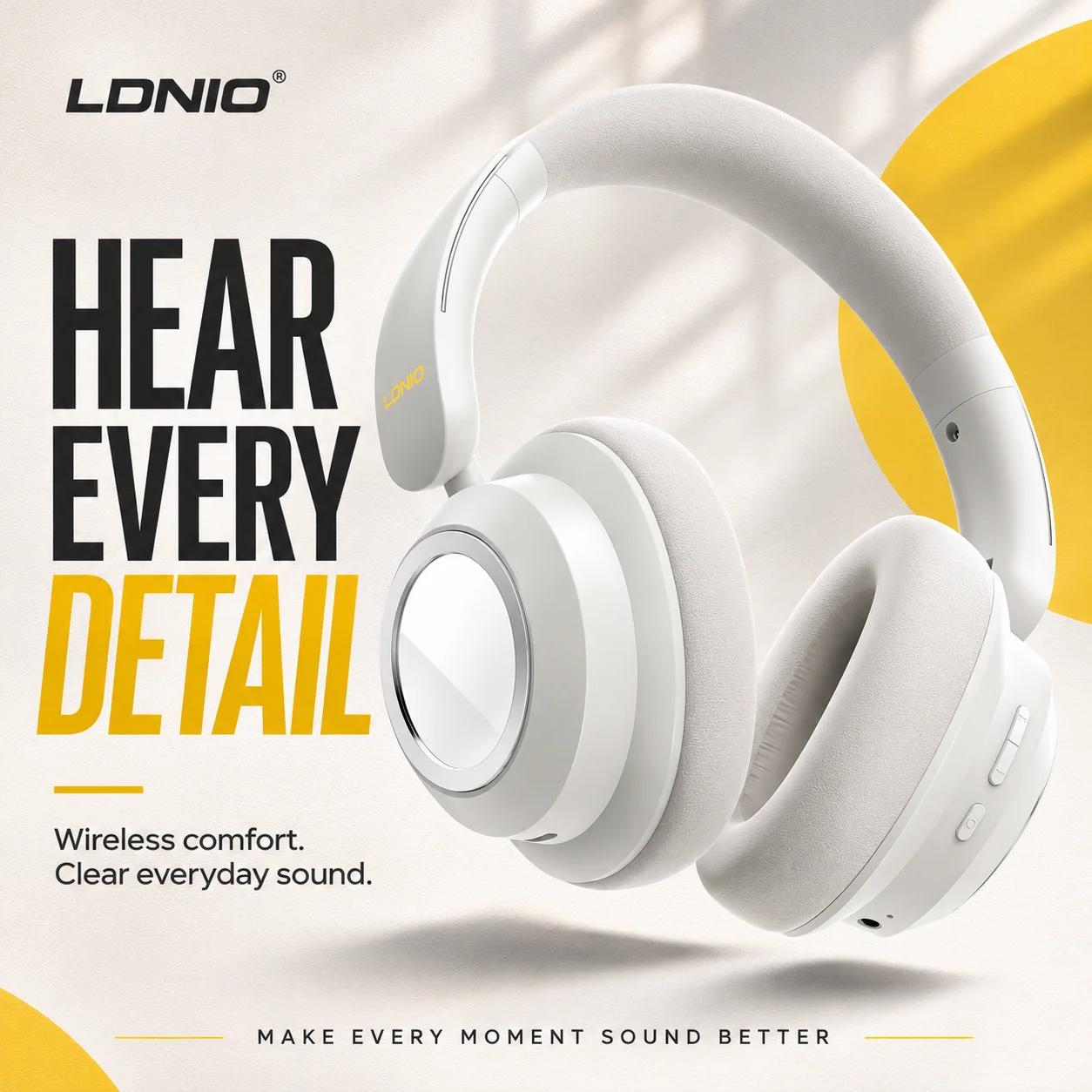
Create a refined product photograph of the uploaded wireless headphones against a clean graphite and cool-grey background. Preserve the exact design, buttons, ports, ear cushions, logo, and material finish. Use controlled studio lighting with realistic edge highlights and soft contact shadows. Show a three-quarter product angle with crisp detail and no invented accessories.
Prioritize accurate geometry and restrained reflections over unnecessary futuristic effects.
Fashion and accessories
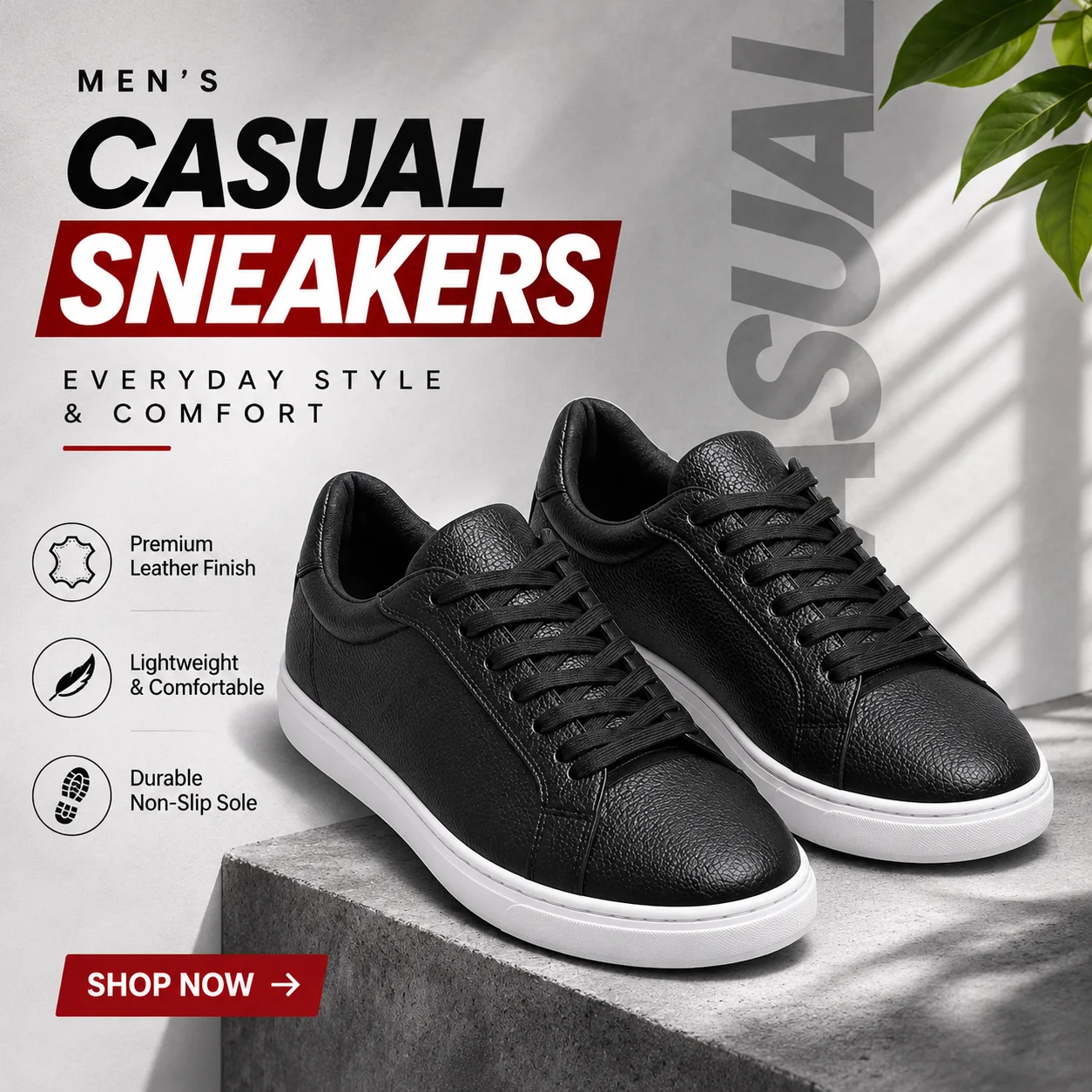
Create an editorial product photograph of the uploaded leather handbag on a warm architectural surface. Preserve the original shape, stitching, hardware, handles, texture, logo, and color. Use soft directional daylight and natural shadows. Compose the image with an understated fashion-campaign mood and enough negative space to keep the bag visually prominent.
Styling should support the product without changing its construction.
AI Product Photography Prompts for E-commerce Platforms
Different platforms and placements have different image needs. A clean listing image, a handmade-product photograph, and a store campaign banner should not all be generated with the same instructions. Always check the latest image specifications and content policies for the platform and placement you plan to use.
Product photography prompt for Amazon listings
For a main listing image, prioritize a clear and accurate view of the item. A white-background prompt can be a useful starting point:
Create a clean, high-resolution catalogue photograph of the exact product shown in the reference image. Preserve its original packaging, logo, label, shape, proportions, and colors. Place the product against a pure white background with realistic, subtle product grounding and even studio lighting. Show the complete product clearly, without props, promotional text, badges, or decorative graphics.
Check Amazon’s category-specific image requirements on Amazon Seller Central before uploading.
Product photography prompt for Etsy
Etsy sellers often need images that communicate craftsmanship, texture, scale, and personality:
Create a natural lifestyle photograph of the exact handmade product in the reference image. Preserve its original design, color, materials, texture, and construction. Place it in a warm, simple setting that complements the item. Use soft window light, realistic shadows, and a thoughtful composition that highlights its handmade details without adding unrelated decorations.
Represent the actual item accurately; do not imply that un included accessories come with it.
Product photography prompt for Shopify stores
Shopify stores may need different image styles for product pages, collections, and campaigns. (If you’re evaluating storefront architecture, see our in-depth Shopify vs WooCommerce comparison for platform and cost insights):
Create a consistent ecommerce product photograph of the uploaded item. Preserve the product’s exact design, packaging, logo, proportions, and colors. Use a soft neutral background, balanced studio lighting, realistic shadows, and a clear three-quarter view. Keep the product large in the frame and leave enough visual consistency for use alongside other products in the same collection.
For lifestyle banners, change the setting while retaining product-preservation instructions.
Product advertisement and lifestyle photography prompts
Advertising images can be more expressive than listing images:
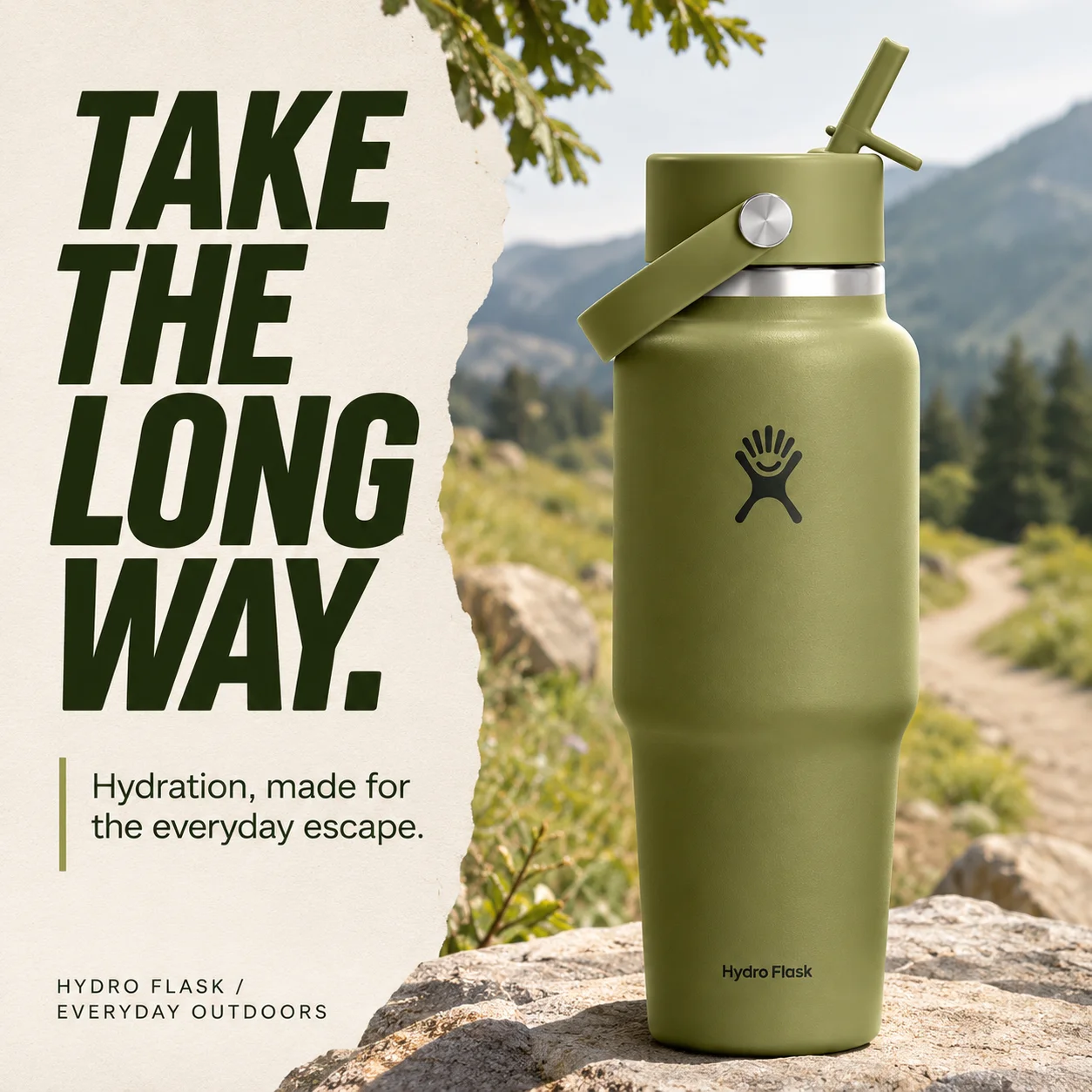
Create an art-directed lifestyle advertising image featuring the exact product in the reference photo. Preserve its recognizable design and all important branding details. Build a scene that reflects the product’s audience and brand personality. Use a distinctive composition, believable lighting, realistic contact shadows, and a controlled color palette. Keep the product as the visual hero and leave intentional negative space for campaign copy.
How to Create Professional AI Product Photos Without Paid Tools
You can experiment without buying a dedicated product-photography subscription. Some tools offer limited free access, but availability and usage terms change. Check commercial-use terms before publishing generated images.
Use this beginner workflow:
- Prepare a clear reference image. Make sure the product’s shape, label, and details are visible.
- Choose the image type. Decide between a listing photo, lifestyle scene, or advertising poster.
- Write a structured prompt. Describe the subject, setting, background, lighting, and camera perspective.
- Protect product details. State what must remain unchanged.
- Inspect the result. Check packaging, text, proportions, shadows, reflections, and added objects.
- Refine specific issues. Request targeted corrections.
- Review before publishing. Confirm accuracy and platform compliance.
ChatGPT, Midjourney, and Flux may interpret prompts differently because their interfaces and reference-image features vary. Adapt the wording to the tool rather than assuming one prompt works identically everywhere.
Common Mistakes to Avoid When Writing Product Photography Prompts
- Being vague: “Make it premium” does not explain the setting, lighting, or composition.
- Overloading the prompt: Too many unrelated effects can weaken the main visual idea.
- Ignoring product preservation: A beautiful image is not useful if the product’s label or design is wrong.
- Using generic styling: Repeated neon, halos, pedestals, and floating objects can make images look templated.
- Forgetting the intended placement: A marketplace listing and a social advertisement need different compositions.
- Skipping quality checks: Inspect small details before using an image in a product listing or campaign.
The best prompt is not the longest one. It communicates the important visual decisions clearly.
Quick Summary
A professional prompt defines the product, setting, background, lighting, and camera perspective. Protect key product details, match the art direction to the intended use, avoid generic effects, and check every result before publishing.
Frequently Asked Questions
What is the best AI product photography prompt?
The best prompt clearly describes the product, its setting, background, lighting, and composition. If you use a reference image, specify which details must remain unchanged, including the logo, packaging, proportions, and materials.
How do I write prompts for AI product photography?
Start with the product and its visible features. Then describe the environment, background, lighting, and camera viewpoint. Add instructions for product accuracy and the intended image placement. Keep the direction focused and review the result.
Can AI generate professional product photos?
AI tools can create useful studio-style images, lifestyle scenes, and advertising concepts. Results depend on the tool, reference image, prompt, and review process. Generated images should be checked carefully for product accuracy before commercial use.
Are there free AI product photography prompts?
Yes. You can write your own prompts using a structured formula or adapt free examples like the ones in this guide. Some AI image tools also provide limited free access, but their terms and usage limits vary.
Can I use AI-generated product images on Amazon?
Potentially, but the image must comply with Amazon’s seller image guidelines and accurately represent the item. Check the latest rules for main images and additional listing images before uploading.
Which AI tool is best for product photography?
There is no single best tool for every task. Compare the image quality, reference-image controls, editing workflow, text rendering, cost, and commercial-use terms. Test tools with the same product and prompt before choosing one.
Final Thoughts
AI makes product photography more accessible, but professional results still require visual judgment. A prompt must protect the product while giving the tool enough direction to create a suitable scene.
Use the five-part formula, adapt examples to your product category, and use the master prompt for advertising posters. Judge every result by two standards: does it look well art-directed, and does it accurately represent the real product? If you are looking to scale your store or integrate custom AI marketing workflows, speak with our digital strategists via a free consultation.
Ready to implement these solutions for your business?
Speak directly with Devvation’s technical architects and digital marketing leads.